












An internal tool earns its place when people can complete a real task, understand the result and hand work to the next person. A dashboard alone does not establish that. Start with the operator preparing an invoice, recording attendance or locating stock, rather than a list of screens. Product design & UXshould connect those tasks to roles, records and decisions. Our own product work offers concrete examples of that thinking. These are interface directions, prototypes and web apps; the published materials do not establish measured adoption or operational improvements.
Start with a task, not a dashboard
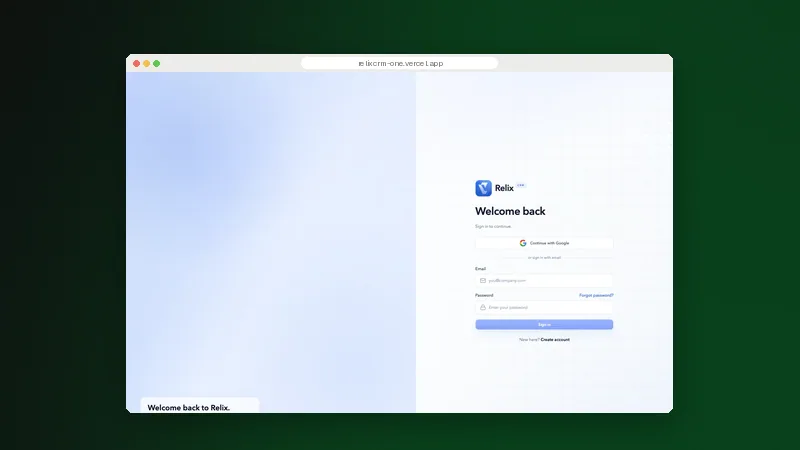
Relix CRM brings leads, deal stages and invoicing into a connected product experience. Its Kanban pipeline makes deal progression visible, while contacts, meetings, proposals and invoices share a navigation model. The lesson is to design around the next action and its context, rather than treating every module as a separate destination.
A useful starting point is the Victora school-management experience: campus oversight and summaries provide an overview, with identifiable destinations for attendance, student records, fees and schedules. That structure suggests a practical design rule: the landing screen should help a person choose the right task, not reproduce every record in the organisation. Determine what a school administrator needs to review and what a teacher needs to enter before deciding what either should see first.
These examples show design intent, not proven time savings. Relix CRM and Victora are product design and web app projects whose linked apps open at sign-in. Their published materials describe workflows but do not establish deal-velocity gains, billing accuracy, administrative savings or reconciliation improvements.
Connect the workflow without flattening every role
A shared product does not require a shared view of every detail. A head of operations may need exceptions across campuses; a staff member may need one attendance list. Keep navigation consistent while defining the information and actions appropriate to each responsibility. Validate those boundaries with users and the people accountable for access.
Our product work provides qualitative examples:
- Commercial handoffs: the sales-to-billing direction in Relix CRMkeeps related commercial tasks together. A pilot should test whether the receiving person gets complete information.
- Operational context: the mobile workflow in Interoly centres item lookup, stock adjustments and fulfilment. Its public onboarding is accessible; further access requires sign-in. Scan-speed gains and offline synchronisation are not established.
- Team coordinationis another handoff problem. In Teamora , meeting and project areas share a product structure, with boards, schedules and workflow controls making responsibility visible.
Review the design against concrete responsibilities
- Finding the record: Relix CRM keeps contacts and commercial tasks in one workspace direction. Test whether an operator can identify the right deal without losing customer context.
- Understanding the status: Victora uses tables, status indicators and repeated components to make dense school information predictable. Test whether staff interpret the same status consistently.
- Taking the next action: Interoly groups inventory details and adjustment controls. Test whether a stock change remains deliberate when the operator is moving between shelves.
- Handing work over: Teamora connects meetings and project areas. Test whether someone can capture an action, assign an owner and find it after the meeting ends.
- Reviewing sensitive information: MediAI separates patient queues and operational summaries from detailed views. Clinical, privacy and security review would be needed before real-world use.
- What remains unproven: the published work does not demonstrate adoption rates or productivity gains. Treat these examples as design material for review, not benchmarks or procurement assurances.
Our rule of thumb: a useful internal tool is a path through a task, not a collection of attractive screens. Ask people to complete the path using representative records, then observe what they miss, misinterpret or cannot recover from.
Measure the task, not the number of logins
A useful evaluation plan starts with the tasks described in our product case studies. Choose a realistic scenario, state what success means and observe the work rather than supplying the answer:
- Completion and correctness: ask an operator to prepare an invoice, find a student record or adjust an item quantity. Record whether the task finishes correctly, what help was needed and which errors remain. Keep the sample and test conditions visible when reporting results; a successful guided demonstration is not evidence that the wider organisation can use the tool unaided.
- Time and recovery: measure the whole task, including finding the right record and checking the saved result. Introduce a recoverable mistake or missing field. Watch whether the person understands the problem, retains their input and can continue without starting again.
- Handoff completeness: ask the receiving colleague to continue from the saved record. Check whether the necessary context, status and responsibility are present. An apparently quick first step may simply have transferred effort to another team.
Do not replace a baseline with an assumption. Compare the proposed workflow with the existing one under similar conditions and keep role, device and data differences visible. Use anonymised or synthetic records for early testing. Any production pilot needs agreed access, support, incident handling and a clear route back if the new workflow fails.
Design for the place where the work happens
Interoly starts from a concrete constraint: the warehouse floor is not a desk. Its mobile interface and browser prototype put inventory lookup, scanner direction and fulfilment status close to operational tasks. That is a basis for field testing, not proof that every device or connectivity condition is supported. The working environment is part of the brief. Test reach, readability and interruptions where the task happens, not only on a designer's monitor.
For a stock operator, test item lookup and deliberate quantity changes on the intended device. Assess touch targets, glare and what happens if a request is interrupted. The published Interoly materials do not establish offline synchronisation. Define and verify lost-connection behaviour before an operational team depends on it.
Separate a design intention from a release claim
Two distinctions matter when reviewing a product demonstration. Interface behaviour shows what the proposed experience communicates: where a record sits, which action is offered and how status appears. It can support a design discussion without proving the underlying service is production-ready. Operational behaviour needs separate implementation evidence: permissions, concurrent changes, reliable persistence, monitoring and recovery. A clickable path or signed-in workspace is not by itself proof of these properties.
This distinction matters especially in healthcare. Organ-specific panels and trend visualisations can make information easier to discuss, but they do not validate diagnostic accuracy. Our own example is MediAI, an interface design and prototype whose demo opens at sign-in. It does not establish clinical effectiveness, regulatory compliance or readiness for patient care. Clinician-led usability evaluation and appropriate privacy, security and clinical review would be necessary before real-world use.
Anatomy of a useful operational screen
Build the screen around a decision and its consequences. The exact arrangement varies by role, but each part should have a clear reason to exist:
- Context: identify the record, location and current status before asking for a change. A stock adjustment without a visible item reference invites a different error from a confusing button label.
- Primary action: make the next legitimate task clear. Keep destructive actions distinct and define when confirmation or a second approval is necessary. Do not make every available action equally prominent.
- Supporting detail: show the information needed to make that decision. Move deeper detail into a predictable destination rather than hiding essential context or filling the first screen with every field.
- Feedback and recovery: state whether an action succeeded, failed or remains pending. Preserve valid input after an error and make the next safe step understandable. Test duplicate submissions and delayed responses.
- History and ownership: make responsibility and relevant changes traceable. Define who can see the history, which events it records and how long those records need to remain available.
A screen is only one part of the workflow. Review what precedes it, what follows it and who inherits its output.
Introduce the tool without breaking existing work
Replacing a spreadsheet or an established application changes more than the interface. Before moving people, records and approvals, make the transition an explicit part of the product brief:
- Data: identify authoritative records, duplicates and required fields. Agree mapping and reconciliation checks, then inspect realistic imports. A successful import job does not prove that the records are complete or usable.
- Access: define the roles and approval responsibilities before granting accounts. Test ordinary users as well as administrators, including refused actions and access changes when responsibilities move between people.
- Continuity: agree which workflow remains available during a pilot, who resolves discrepancies and when the organisation would pause or reverse the transition.
- Support: give staff task-based guidance, a known escalation route and time to practise. Capture repeated questions as evidence about the product, not simply as training failures.
Start with a bounded workflow and representative participants. Expand only when the evidence supports it. The right pilot is small enough to support properly and realistic enough to reveal the dependencies a polished demonstration leaves out.
What our own product work does and does not prove
Relix CRM, Victora and Teamora are product design and web app projects with linked apps that open at sign-in. Interoly is a mobile interface and prototype with public onboarding and sign-in for further access. MediAI is an interface design and prototype with a sign-in entry point. These access conditions matter: a public page is not a substitute for evaluating the full workflow with an authorised account.
The published materials establish design directions and proposed tasks to validate. They do not establish measured adoption, productivity improvements or enterprise readiness. Treat a case-study review as the start of due diligence, then request the evidence appropriate to the intended deployment.
Give operators control within clear boundaries
Autonomy should mean completing authorised work, not bypassing review. Consider the workflow direction in Teamora: boards make task ownership visible, while schedules and workflow controls give recurring routines a home. Apply that principle through explicit rules:
- Define meaningful records: agree the fields, status names and required information for each task with the people who create and receive the record. Avoid fields that exist only because the database allows them.
- Make permissions understandable: show which actions a role can take and explain refused actions without exposing restricted information. An interface hint is not an access control; enforcement needs implementation testing.
- Keep changes traceable: define which edits need history, a reason or approval. Give reviewers enough context to distinguish a legitimate correction from an unexplained alteration.
The delivery arrangement also affects operator control. A useful backlog needs someone accountable for priorities and someone able to accept completed work. Funding more screens without those responsibilities will not resolve a broken handoff. We discuss that commercial choice in SDaaS or a fixed project? . Set the governance of the work before debating how quickly the backlog can grow.
Costs, timing and the work beyond the screens
An estimate should expose dependencies rather than disguise them:
- Budget: include discovery, workflow design, implementation, data preparation, integration testing, access controls, training and support. If the application depends on a separate security stack, clarify ownership of those dependencies; our guide discusses choosing a security stack.
- Timeline: agree dates after identifying reviewers, integration access, sample records and acceptance criteria. Record which decisions can block delivery. A design prototype, a working pilot and an operational release are different milestones and should not share an undefined promise of completion.
- Migration: price the work of cleaning and moving records, not only building import screens. Agree the source of truth, reconciliation method and rollback decision before the first operational transfer.
- Ownership: agree repository access, infrastructure accounts, documentation, licensing and handover responsibilities. Specify ongoing support separately so a delivery budget is not mistaken for incident cover.
How to build evidence before a wider release
Use stage gates tied to decisions rather than promising a universal delivery schedule:
- Discover · Map the work: observe current tasks, identify participants and document exceptions. Establish a baseline, access needs and the information passed between roles. Select a bounded workflow for evaluation.
- Design · Test the proposed path: use realistic scenarios and representative records. Ask participants to complete tasks without coaching. Review misunderstandings, accessibility issues and failed handoffs before expanding the design.
- Build · Verify the behaviour: implement the agreed workflow and test persistence, access, integrations and error handling. Keep design approval distinct from functional acceptance, and record evidence for both.
- Pilot · Review and decide: support a bounded group, compare task evidence with the baseline and inspect operational issues. Decide whether to revise, extend or stop. Agree support and recovery before wider release.
When a smaller intervention is the better choice
A new application is not always the answer. If the problem is an undefined approval rule, building a dashboard may only make the ambiguity more visible. Compare a workflow correction, configuration change or integration with a full custom build. Choose the least complex intervention that addresses the actual task and its risks.
Consider a custom tool when:
- The workflow requires specific roles and approvals, with records and decisions that existing tools cannot represent adequately.
- The integration is essential, and the required handoff cannot be maintained reliably through manual re-entry.
- The work combines repeated tasks and complex exceptions, with enough operational importance to justify ongoing ownership and maintenance.
- You can assign an accountable product owner who can resolve priorities, review evidence and support adoption beyond the launch.
Improve the current workflow when:
- The main obstacle is an unclear policy, duplicate records or an approval responsibility that nobody owns.
- An existing tool can support the task with better configuration or a narrower integration. For sensitive records, also review the system responsibilities discussed in our NDPA breach-notification article before changing how data moves.
Start with the people doing the work and the evidence a pilot can provide. If your next internal tool needs a clearer brief, talk to us, and we can examine the workflow before recommending a build.